Your employees want AI. Your security team wants control. WorkOS gives you both—a private AI trained on your company's knowledge that runs entirely within your infrastructure.
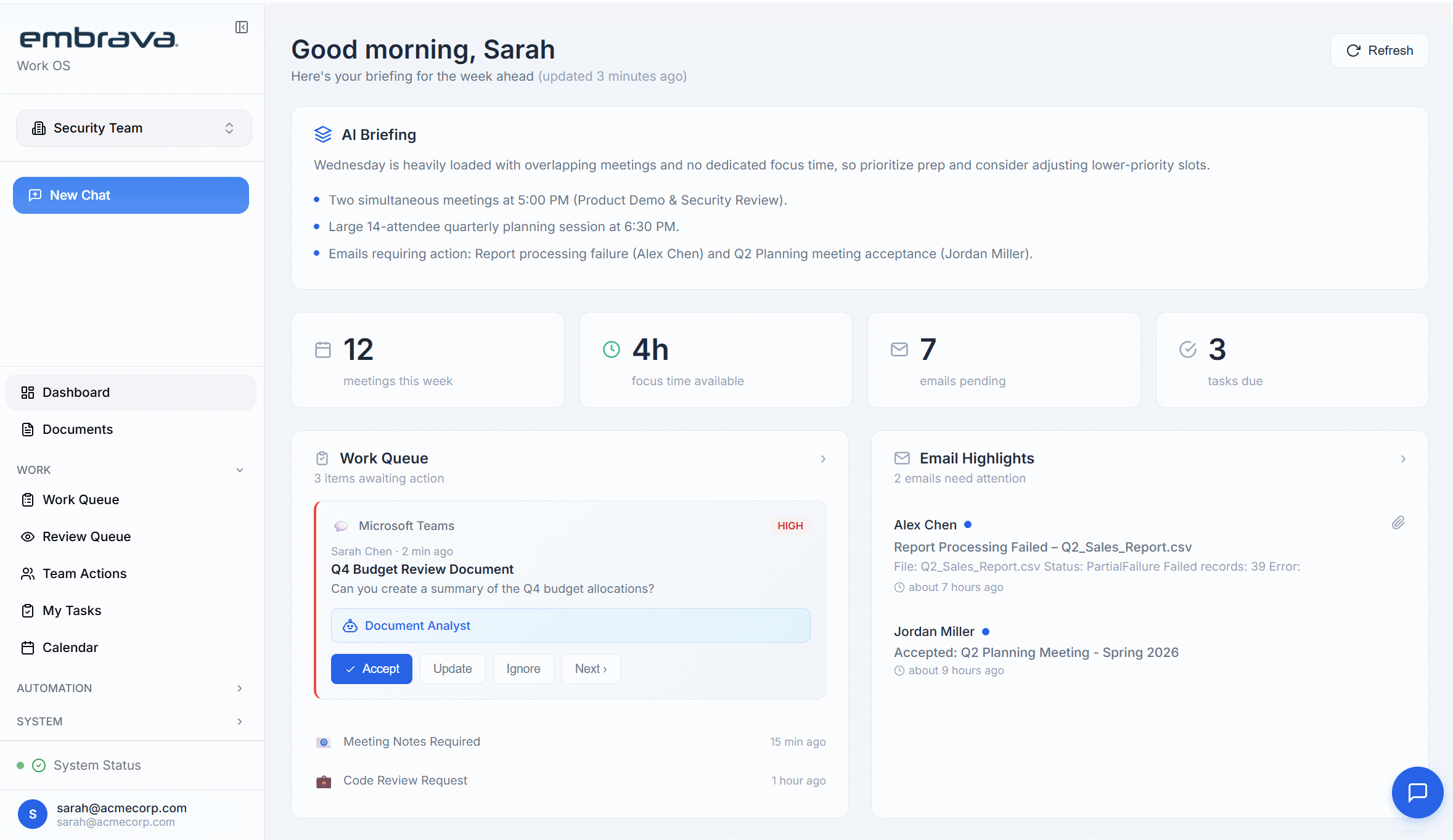
Instant answers from your knowledge base
AI adoption is no longer optional. But the way most companies are doing it creates real risk.
"Our team is already using ChatGPT. I just found out they've been pasting customer contracts into it to summarize them."
"Every prompt our employees send to public AI becomes training data. Our competitive intelligence is making our competitors smarter."
"We're in a regulated industry. If our data crosses the wrong border or ends up in the wrong model, we're looking at serious fines."
WorkOS gives your team the AI productivity they want—trained on your actual business knowledge—while giving security and compliance teams the control they need. Your data stays yours. Your model stays private. Your competitive advantage stays inside your walls.
WorkOS creates a private AI model trained exclusively on your organization's knowledge. It understands your terminology, your processes, your history—and answers like your most experienced employee.
Documents, wikis, email, Slack, Teams, SharePoint, internal databases—if it contains institutional knowledge, WorkOS learns from it.
50+ enterprise integrationsWorkOS builds a model that belongs to you. Your data never trains shared models. Your knowledge never improves competitors.
Days to value, not months"What did we learn last time we tried this?" "What's our standard process for X?" "Who worked on that project in 2022?" WorkOS knows.
Instant answers from your knowledge baseEvery interaction makes WorkOS smarter about your business. Every document added expands what it knows. Six months in, it understands your organization better than any single employee could.
Compounds over timeThis isn't "private mode" or a checkbox in settings. WorkOS is architected from the ground up so your data never leaves your control.
WorkOS trains a model that belongs exclusively to you. Your prompts, your documents, your interactions—none of it ever trains shared models or leaves your environment.
Run in Embrava's SOC 2 Type II certified cloud, in your private cloud, or fully on-premises behind your firewall. Sensitive data never has to traverse the public internet.
WorkOS inherits your existing access controls. The AI only surfaces knowledge that users are authorized to see. No permission creep. No accidental exposure.
Moving from public AI to WorkOS doesn't just reduce risk—it transforms how your organization can safely leverage AI.
When employees have a private AI that actually knows your business, they stop pasting sensitive data into public tools. One secure option replaces dozens of risky workarounds.
Zero data leaving your perimeter
Your strategies, processes, and institutional knowledge stay yours. Nothing you ask or share ever trains models that competitors might benefit from.
100% contained competitive advantage
Data residency, audit trails, access controls—WorkOS gives compliance teams the documentation and control they need. Pass audits without restricting AI adoption.
Audit-ready from day one
Stop saying "no" to AI requests from your teams. WorkOS lets you say "yes" to productivity while maintaining the security posture your organization requires.
Full AI benefits without the exposure
ChatGPT Enterprise is a better ChatGPT. WorkOS is a different category—it's an AI that actually knows your business. It's trained on your documents, your processes, your history. It can answer "What did we learn last time?" because it was there. Plus, with on-premise deployment options, your data never has to leave your infrastructure at all.
Nowhere you don't control. With on-premise deployment, it never leaves your firewall. With our cloud option, it stays in SOC 2 Type II certified infrastructure in your chosen region. Either way, your data never trains shared models and is never accessible to other customers or to Embrava.
Documents (SharePoint, Google Drive, Dropbox), wikis (Confluence, Notion), email, Slack/Teams messages, internal databases, and more. If it contains your institutional knowledge, WorkOS can learn from it—all while respecting existing access permissions.
Days, not months. Once you connect your knowledge sources, WorkOS begins learning immediately. Most organizations see value within the first week—and it keeps getting smarter over time.
WorkOS is built for regulated industries. SOC 2 Type II certified, GDPR compliant, with data residency options to meet jurisdictional requirements. On-premise deployment gives you complete control for the most stringent compliance needs.
Yes—because it's actually better for work. ChatGPT knows the internet. WorkOS knows your company. When employees can ask "What's our standard process for X?" and get an accurate answer instantly, they don't need to go elsewhere.
Your institutional intelligence is your most valuable asset. Stop letting it walk out the door or stay trapped in silos.
This website uses cookies to improve your experience. We'll assume you're ok with this, but you can opt-out if you wish. Learn More


.avif)


.svg)